Winslow
A workflow and state manager that serves terminals and agents.
Winslow runs work as a set of small tasks. Each task declares the tasks it depends on. Winslow builds the dependency graph and runs the tasks in the correct order.
Each task knows two things: how to do its work, and how to report that the work is already done. Winslow checks the second before it does the first.
One engine owns the sessions of a project. winslow serve starts it and opens it to clients: terminals
connect and operate the sessions from the same UI, and agents connect over MCP with the same reads and
actions.
winslow run starts the engine and the UI in one process. winslow run --mode headless drives the engine
with no UI, for cron and CI.
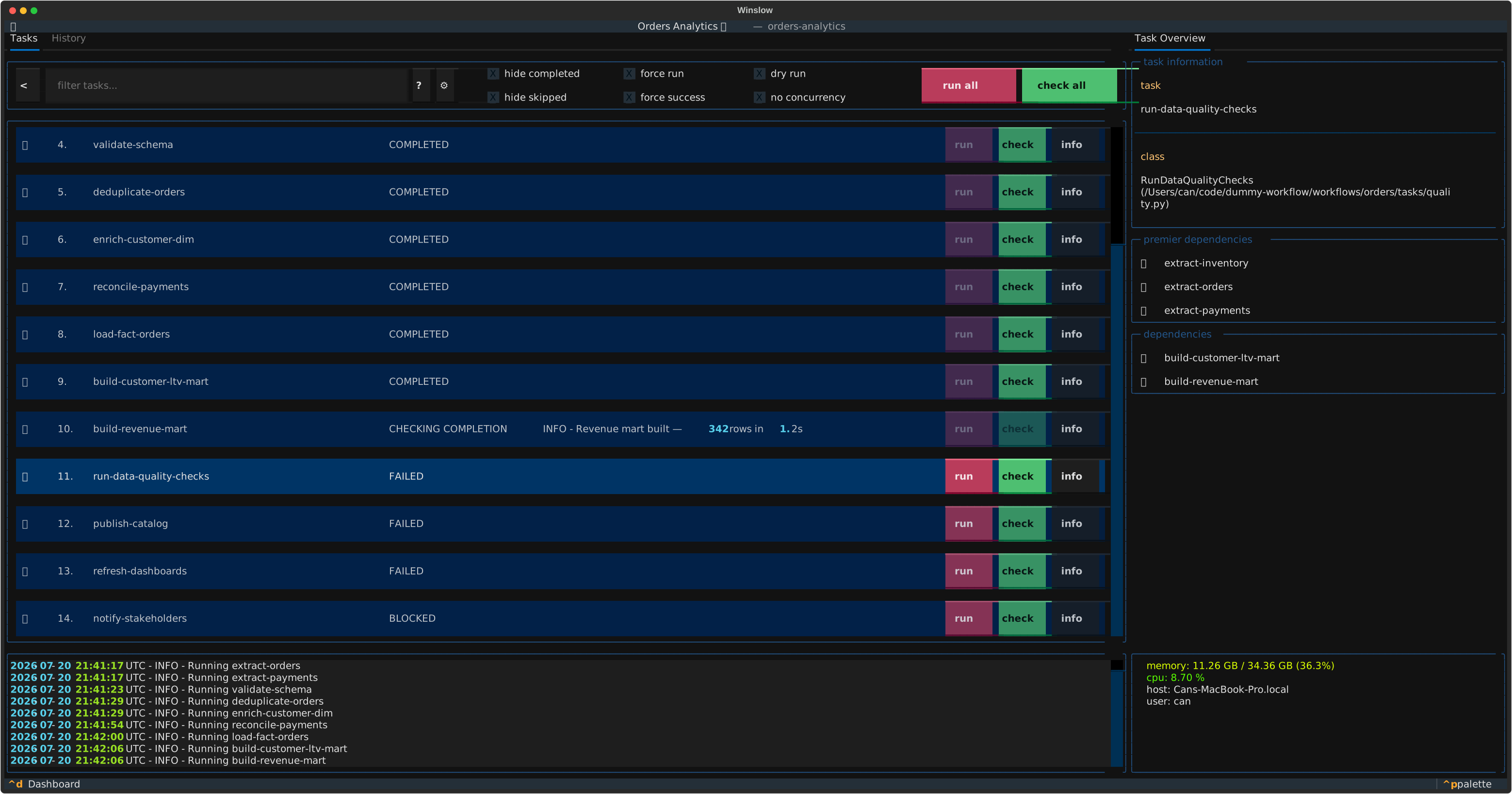
The core idea: run and check
Two methods form the whole contract:
run()makes a change.check()reports whether the wanted end state is already true.
Winslow calls check() before it runs a task. If check() returns true, Winslow marks the task completed and does
not run it. If it returns false, Winslow calls run(), then calls check() again to confirm the result.
This makes a workflow idempotent and resumable. Stop a workflow in the middle and start it again. Winslow continues from the point it reached.
Adopt Winslow one task at a time
The run() method is optional. The check() method is not. A task that omits run() changes nothing and
only reports a state.
A workflow built only from such tasks is a health check tool. It reads a system and it writes nothing. Two uses follow from this:
A status view over a legacy system. Describe the wanted state of the system as a set of checks. The terminal UI then shows which parts of the system are correct, and which parts are not. The legacy process continues to run as before. Winslow only observes it.
From a report to an automation. Add a run() method to one task at a time. Winslow automates that task from the moment
that the method exists. The other tasks stay as checks. The workflow is usable at every step of the migration,
and no step needs a large change.
Automation with a human step. The run() method can complete a part of the work and leave the
rest to a person. A release task can open a pull request in run(). Its check() passes only when the
change is in the main branch. Until a person merges the pull request, the task shows the ACTION REQUIRED
state. The signal table in Tasks lists the require_action signal that reports this state.
Is Winslow the right tool?
Winslow is not the right tool for every situation. Many workflow tools exist, and they differ more than their descriptions show. The tool selector compares Winslow with the common alternatives under the same rules. The grid shows how each tool knows that work is already done. It also covers fan-out, execution, scheduling, interfaces, and licenses. Select the properties that your situation requires. The grid removes the tools that do not fit.
Where to go next
- Getting started: install Winslow, write a first workflow, run it and serve it.
- Serve and connect: the server, the remote terminal, the credentials and the MCP endpoint.
- Sessions and restore: what a session persists, and how a killed session comes back.
- Workflows: declare a workflow, arrange the task files, and share code between workflows.
- Tasks: the task lifecycle, and the method that each stage calls.
- Dependencies: order the tasks with the dependency graph, premier and terminal tasks, and groups.
- Filters: select a subset of the tasks by name or by group.
- Parameterization: turn one task class into many task instances.
- Constraints: package a gate rule as a class, and share it between tasks.
- Caching: share expensive data between tasks and workflows with declarative cache classes.
- Telemetry: report task and workflow errors to Sentry or OpenTelemetry.
- Plugins: add a tab to the UI, replace a built-in pane, or add a filter command.
- API reference: generated from the source docstrings.
- Tool selector: compare Winslow with the alternative workflow tools.